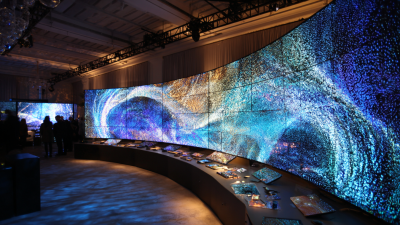
In today’s fast-changing tech world, picking the right flat display for your business can feel pretty overwhelming. I mean, with so many options out there, it’s easy to get lost. Jane Smith, who’s actually a leading expert over at Display Solutions Inc., puts it nicely: ‘Choosing the right display is key to really grabbing your audience’s attention.’ Her words remind us how important clarity and engaging your viewers are—they really can make or break your success.
Flat displays come in all shapes and sizes, each designed for different needs. For example, a retail store might go for super bright screens to pull in customers, while a conference room might need something bigger, so everyone can see clearly. It’s kind of a lot to consider, because every setting has its own unique quirks. And don’t forget about stuff like durability and resolution—those matter a lot too.
Looking back, lots of companies realize that what seemed like a perfect choice at first doesn’t always hold up over time. Sometimes they miss features like energy efficiency or end up overlooking ongoing maintenance costs. Making an informed decision right now can really pay off in the long run. The right flat display doesn’t just make things look better—it can boost your brand image and even help you connect better with customers. So yeah, taking your time and making smart choices really pays off in this competitive world we’re in.

Factors to Consider When Selecting a Flat Display for Business Use
When selecting a flat display for business use, several factors play a crucial role. Screen size is vital. It should fit your workspace without overwhelming it. For example, a larger display may seem appealing, but it can consume valuable real estate. Consider the viewing distance too. Customers need to see the content clearly.
Resolution is another key aspect. Higher resolutions provide clearer images. This becomes essential for presentations or detailed visuals. Yet, some may not notice these differences unless closely inspecting the screen. Contrast and brightness are crucial for readability. A display too dim may frustrate viewers.
Connectivity options are important. Make sure the display can connect easily to various devices. However, integrating technology sometimes brings challenges. Compatibility issues can arise, causing frustration during setup. Consider the warranty and support options. A reliable provider ensures your display functions well long-term. Ultimately, the choice requires careful thought and understanding of your specific business needs.
Understanding Display Technologies: LCD, LED, and OLED Comparison
When selecting a flat display for your business, it's essential to understand the technologies available: LCD, LED, and OLED. Each technology has distinct features that cater to various needs. For instance, LCDs are widely known for their affordability and durability. According to a recent industry report, LCD displays still dominate the market, covering over 50% of global sales in commercial applications.
LED displays offer brighter imagery and better energy efficiency. With the increase in digital signage, they have become increasingly popular. Reports indicate that LED displays can save businesses up to 30% in energy consumption compared to older technologies. However, consider the viewing angle limitations and cost, as high-quality LED models can be pricey.
OLED technology provides stunning image quality with vibrant colors and deep blacks. Yet, it may not be suitable for all environments due to potential burn-in issues. A study indicated that nearly 40% of OLED users reported concerns about image retention. This highlights the importance of usage scenarios.
Tip: Assess your business needs before choosing a display technology. If budget constraints exist, LCD might be the practical option. For high-end visuals, consider LED or OLED, but keep longevity and potential issues in mind. Always weigh the pros and cons based on your specific requirements.
Display Technology Comparison: LCD, LED, and OLED
Importance of Resolution: How Pixel Density Affects Visual Quality
When selecting a flat display for your business, resolution plays a crucial role. Pixel density, measured in pixels per inch (PPI), significantly affects visual quality. Higher PPI means sharper images and clearer text. A display with low pixel density may result in blurry visuals, which can frustrate users. For business environments, clarity can enhance presentations and digital signage.
Consider the type of content displayed. If your business involves detailed graphics or video, high resolution is essential. A retail space could benefit from vibrant colors and crisp images. However, an office may not require the same level of detail. It’s important to balance needs with budget constraints. Sometimes, investing in a higher resolution display can yield a stronger impact than expected.
Do not overlook the viewing distance. A display viewed from a distance doesn’t always need the highest resolution. Yet, achieving the right balance can be challenging. Make a list of potential use cases for the display. This reflection can guide your choices effectively. Engaging visuals can attract customers but also create higher expectations. The challenge lies in meeting those expectations consistently.
Evaluating Size and Aspect Ratio for Optimal Viewing Experience
When selecting a flat display for your business, size and aspect ratio are crucial for optimal viewing.
Reports indicate that a wider aspect ratio can enhance engagement, making it ideal for presentations and digital signage.
Typical ratios like 16:9 are popular, as they suit most media formats.
However, some scenarios may benefit from a more specialized aspect ratio. For instance, a 21:9 ratio can be advantageous in cinematic settings.
Tips: Consider how your audience interacts with the display. Measure the distance viewers will sit from the screen. A larger screen can captivate from afar, while smaller displays might be better suited for close engagements.
Additionally, the right screen size can significantly affect visibility. Research shows that viewers struggle to read text on screens smaller than 32 inches from a distance of over 10 feet.
However, choosing too large a display can overwhelm the space and pixelation may occur if the resolution isn't high enough.
Tips: Evaluate the content you'll present. High-definition images fit larger screens well, while text-heavy information may require careful assessment of font size and display distance.
Balancing these elements is essential for effective communication. Recognizing the needs of your audience and the space can refine your decision-making process.
Assessing Brightness and Contrast Ratio for Different Lighting Conditions
When selecting a flat display for your business, assessing brightness and contrast ratio is crucial. Brightness is measured in nits. A display with 300 nits works well in typical indoor settings. However, an outdoor display may need 1,000 nits or more to remain visible. Understanding your environment helps make the right choice.
Contrast ratio illustrates the difference between the darkest and lightest parts of an image. Higher ratios improve visibility in various lighting. A contrast ratio of 1000:1 is great for dim settings. But, in brighter environments, like a sunny office, you might struggle with lower ratios. Careful assessment of your unique situation is necessary.
Testing displays under real conditions could uncover issues. Colors may appear washed out in certain lighting, affecting your content's appeal. Consider pairing a high-brightness display with an excellent contrast ratio. This combination enhances readability and user experience, even as you navigate the complexities of different environments.
Connectivity Options: Ensuring Compatibility with Existing Equipment
When selecting a flat display for your business, connectivity options play a crucial role. It's not just about image quality or size. Ensuring that your new display is compatible with existing equipment is essential. Different devices require various types of connections, such as HDMI, VGA, or DisplayPort. Checking these specifications beforehand can save you from future headaches.
Sometimes, older equipment may not easily integrate with newer technologies. This mismatch can lead to additional costs or the need for adapters. It's vital to assess your current setup and understand what connections you have. Avoid assuming that newer displays will automatically work with older devices. Take the time to evaluate your needs, and document existing ports and cables.
Look for displays that offer multiple connectivity options. A versatile display can adapt to changing technologies. Relying on a single connection type limits flexibility. Moreover, consider how often you plan to change or upgrade equipment. Proprietary technology can also pose challenges. Be prepared to adjust your purchasing decision based on compatibility. The right display should enhance your existing workflow, not complicate it.
Total Cost of Ownership: Beyond Initial Purchase Price and Maintenance
When selecting a flat display for your business, the total cost of ownership (TCO) plays a crucial role. Many companies focus solely on the initial purchase price, overlooking long-term expenses. According to a report by the International Display Research Institute, maintenance and energy costs can exceed initial investments by up to 30% over the device's lifecycle. This highlights the importance of a comprehensive cost evaluation.
Energy consumption is another vital aspect. Displays with energy-efficient technologies can significantly lower monthly utility bills. A study by the Energy Efficiency Council found that businesses using LED displays saw a 50% decrease in energy costs compared to traditional screens. However, not all energy-saving solutions are equal. It's essential to analyze whether additional features justify a higher upfront cost.
Moreover, consider the frequency of maintenance and repairs. A frequent breakdown can lead to costly interruptions. Data from the Display Maintenance Agency suggests that businesses should expect $1,000 in repair costs annually for older models. This potential expense should be factored into your decision-making process. Reflecting on these points can lead to a more informed choice, one that balances the needs of today with the realities of tomorrow.
FAQS
: Brightness, measured in nits, is crucial. A display with 300 nits works indoors, but outdoor displays need 1,000 nits.
Contrast ratio shows the difference between light and dark parts of an image. Higher ratios improve visibility in diverse lighting.
A contrast ratio of 1000:1 is excellent for dim environments. Lower ratios can cause visibility issues in bright spaces.
In certain lighting, colors may look washed out. This can negatively impact how content engages viewers.
Connectivity affects compatibility with existing equipment. Types of connections, like HDMI or VGA, are essential factors to consider.
Mismatched technologies can lead to additional costs for adapters. It's essential to check the compatibility of devices beforehand.
A display with multiple connection types offers more versatility. It allows for easier adaptation to new tech over time.
Assess your current setup and document existing ports. Don’t assume new displays will connect easily with older devices.
Proprietary tech can limit options and increase complexity. Be ready to adjust your purchasing decisions to maintain compatibility.
Many businesses overlook connectivity needs. This oversight can complicate workflows and incur extra costs later on.
Conclusion
When choosing the best flat display for your business, several critical factors come into play. It's essential to understand the various display technologies available, including LCD, LED, and OLED, as each offers unique benefits and drawbacks. The resolution and pixel density are crucial for ensuring excellent visual quality, while the size and aspect ratio contribute significantly to the overall viewing experience. Additionally, assessing brightness and contrast ratio helps determine the display's performance in various lighting conditions.
Connectivity options are also vital, as they ensure compatibility with your existing equipment, facilitating smooth operations. Finally, it's important to evaluate the total cost of ownership, which includes not just the initial purchase price but also maintenance costs over time. By carefully considering these aspects, businesses can select a flat display that meets their needs effectively and enhances their operations.